Close Menu
  • Home
  • Servers
  • Hosting Tutorials
    • cPanel&WHM
  • WordPress Tutorial
    • WordPress General
    • WooCommerce
    • Useful Plugin

Subscribe to Updates

Get the latest creative news from FooBar about art, design and business.

What's Hot

Hardening WordPress: Advanced Security Strategies for Enterprise-Grade Protection

May 31, 2026

Deep Dive: Remediating Linux Kernel Local Privilege Escalation (LPE) Vulnerabilities

May 31, 2026

Advanced WordPress Performance Engineering: Beyond Basic Caching

May 31, 2026
Facebook X (Twitter) Instagram
  • Home
  • Servers
    Featured
    Servers

    What Is Imunify360? How Does It Enhance Website Security?

    By The GeekJanuary 2, 20230
    Recent

    What Is Imunify360? How Does It Enhance Website Security?

    January 2, 2023

    How to set up a Raspberry Pi ownCloud server in 7 steps

    December 20, 2022

    How To Install Linux, Nginx, MySQL, PHP (LEMP) stack On CentOS 7

    December 20, 2022
  • Hosting Tutorials
    1. cPanel&WHM
    Featured
    Hosting Tutorials

    What is Let’s Encrypt SSL certificate

    By The GeekDecember 26, 20220
    Recent

    What is Let’s Encrypt SSL certificate

    December 26, 2022

    What Is Web Hosting? What Is Shared Hosting?

    December 26, 2022

    How to install cPanel on CentOS 7

    December 22, 2022
  • WordPress Tutorial
    1. WordPress General
    2. WooCommerce
    3. Useful Plugin
    Featured
    General

    WordPress 6.9 Update Warning: Why You Should Wait to Upgrade

    By The GeekDecember 20, 20250
    Recent

    WordPress 6.9 Update Warning: Why You Should Wait to Upgrade

    December 20, 2025

    Important WP 6.2 Issue — Read Before Updating

    April 5, 2023

    WordPress Two-Factor Authentication (2FA): what is it & using it on your site

    January 26, 2023
Facebook Instagram
Horizen.ro – Tech Blog & Server environmentHorizen.ro – Tech Blog & Server environment
Subscribe
  • Home
  • Servers
    Featured
    Servers

    What Is Imunify360? How Does It Enhance Website Security?

    By The GeekJanuary 2, 20230
    Recent

    What Is Imunify360? How Does It Enhance Website Security?

    January 2, 2023

    How to set up a Raspberry Pi ownCloud server in 7 steps

    December 20, 2022

    How To Install Linux, Nginx, MySQL, PHP (LEMP) stack On CentOS 7

    December 20, 2022
  • Hosting Tutorials
    1. cPanel&WHM
    Featured
    Hosting Tutorials

    What is Let’s Encrypt SSL certificate

    By The GeekDecember 26, 20220
    Recent

    What is Let’s Encrypt SSL certificate

    December 26, 2022

    What Is Web Hosting? What Is Shared Hosting?

    December 26, 2022

    How to install cPanel on CentOS 7

    December 22, 2022
  • WordPress Tutorial
    1. WordPress General
    2. WooCommerce
    3. Useful Plugin
    Featured
    General

    WordPress 6.9 Update Warning: Why You Should Wait to Upgrade

    By The GeekDecember 20, 20250
    Recent

    WordPress 6.9 Update Warning: Why You Should Wait to Upgrade

    December 20, 2025

    Important WP 6.2 Issue — Read Before Updating

    April 5, 2023

    WordPress Two-Factor Authentication (2FA): what is it & using it on your site

    January 26, 2023
Horizen.ro – Tech Blog & Server environmentHorizen.ro – Tech Blog & Server environment
Home»General»Analyzing the Dirty Pipe Vulnerability (CVE-2022-0847): Technical Deep Dive and Remediation
General

Analyzing the Dirty Pipe Vulnerability (CVE-2022-0847): Technical Deep Dive and Remediation

The GeekBy The GeekMay 31, 2026Updated:May 31, 2026No Comments2 Mins Read
Facebook Twitter Pinterest LinkedIn Tumblr Email
Share
Facebook Twitter LinkedIn Pinterest Email

The Anatomy of CVE-2022-0847

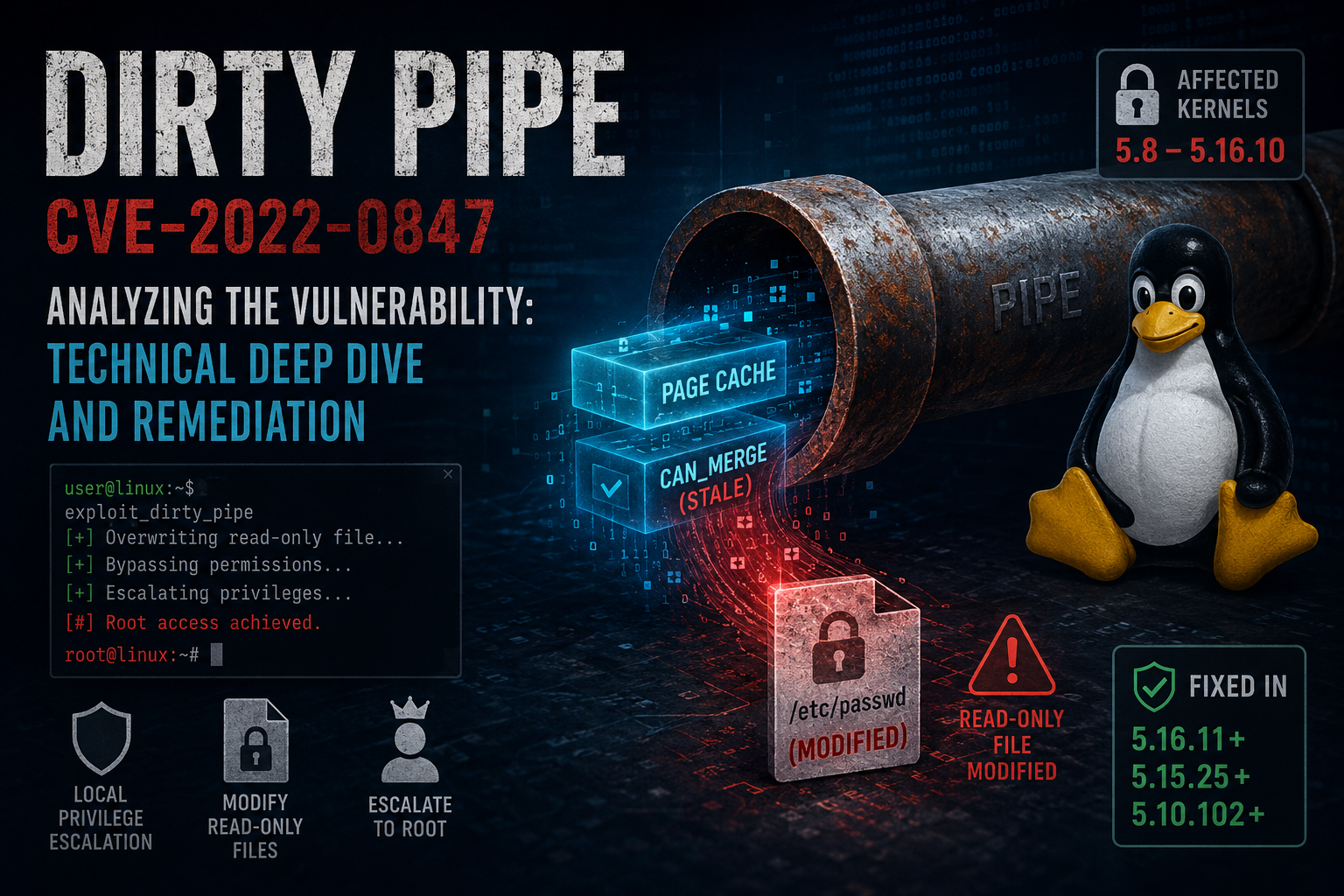
The ‘Dirty Pipe’ vulnerability is a classic example of a flaw in the Linux kernel’s pipe buffer management, allowing an unprivileged user to overwrite data in read-only files. This effectively leads to local privilege escalation (LPE) to root access, making it a critical threat to any multi-tenant hosting environment.

Understanding the Mechanism

The issue stems from the way the kernel handles pipe page flags when copying data. An attacker can inject arbitrary data into the page cache of a file, even if they lack write permissions to that file, by manipulating the PIPE_BUF_FLAG_CAN_MERGE flag. This allowed for the modification of sensitive files like /etc/passwd or root-level binary files.

Identifying Affected Systems

You can check if your kernel is vulnerable by running the following command:

uname -r

Any kernel version from 5.8 up to 5.16.11 is potentially vulnerable. If your server is running a production environment, immediate patching is non-negotiable.

Remediation and Mitigation

To secure your infrastructure, you must upgrade the Linux kernel. If you are using a managed distribution, the package manager update is sufficient:

# For Debian/Ubuntu-based systems
sudo apt update && sudo apt upgrade linux-image-generic
# For RHEL/CentOS/AlmaLinux
sudo dnf update kernel

After the update, a reboot is required to load the patched kernel into memory. Verify the fix by checking the patched version number.

Why This Matters for Sysadmins

In a shared hosting environment or any environment utilizing containers, Dirty Pipe represents a ‘breakout’ risk. If a single user account is compromised, the attacker can leverage this exploit to gain full control over the host node. Always enforce strict SELinux or AppArmor profiles to minimize the blast radius of such exploits.

Final Recommendations

Cybersecurity is not a static state. We recommend implementing automated vulnerability scanning using tools like Lynis or OpenVAS to catch such kernel-level vulnerabilities early in the discovery phase.

featured
Share. Facebook Twitter Pinterest LinkedIn Tumblr Email
The Geek
  • Website

Related Posts

Hardening WordPress: Advanced Security Strategies for Enterprise-Grade Protection

May 31, 2026

Deep Dive: Remediating Linux Kernel Local Privilege Escalation (LPE) Vulnerabilities

May 31, 2026

Advanced WordPress Performance Engineering: Beyond Basic Caching

May 31, 2026
Add A Comment

Comments are closed.

Editors Picks

Hardening WordPress: Advanced Security Strategies for Enterprise-Grade Protection

May 31, 2026

Deep Dive: Remediating Linux Kernel Local Privilege Escalation (LPE) Vulnerabilities

May 31, 2026

Advanced WordPress Performance Engineering: Beyond Basic Caching

May 31, 2026

Analyzing the DirtyPipe Vulnerability (CVE-2022-0847): Technical Deep Dive and Patching

May 31, 2026
Top Reviews
Advertisement
Demo
Horizen.ro – Tech Blog & Server environment
Facebook X (Twitter) Instagram Pinterest Vimeo YouTube
  • Home
  • Hosting Tutorials
  • Cpanel & WHM
  • Cookie Policy (EU)
© 2026

Type above and press Enter to search. Press Esc to cancel.

Manage Cookie Consent
We use technologies like cookies to store and/or access device information. We do this to improve browsing experience and to show personalized ads. Consenting to these technologies will allow us to process data such as browsing behavior or unique IDs on this site. Not consenting or withdrawing consent, may adversely affect certain features and functions.
Functional Always active
The technical storage or access is strictly necessary for the legitimate purpose of enabling the use of a specific service explicitly requested by the subscriber or user, or for the sole purpose of carrying out the transmission of a communication over an electronic communications network.
Preferences
The technical storage or access is necessary for the legitimate purpose of storing preferences that are not requested by the subscriber or user.
Statistics
The technical storage or access that is used exclusively for statistical purposes. The technical storage or access that is used exclusively for anonymous statistical purposes. Without a subpoena, voluntary compliance on the part of your Internet Service Provider, or additional records from a third party, information stored or retrieved for this purpose alone cannot usually be used to identify you.
Marketing
The technical storage or access is required to create user profiles to send advertising, or to track the user on a website or across several websites for similar marketing purposes.
  • Manage options
  • Manage services
  • Manage {vendor_count} vendors
  • Read more about these purposes
View preferences
  • {title}
  • {title}
  • {title}